

Outlook Profile not Initializing
Last updated by Ernesto Hidalgo at Mar 08, 2019 11:25 PM
Solution
If you are trying to setup a user’s profile and find yourself receiving the following message follow the steps in this documentation to resolve the issue.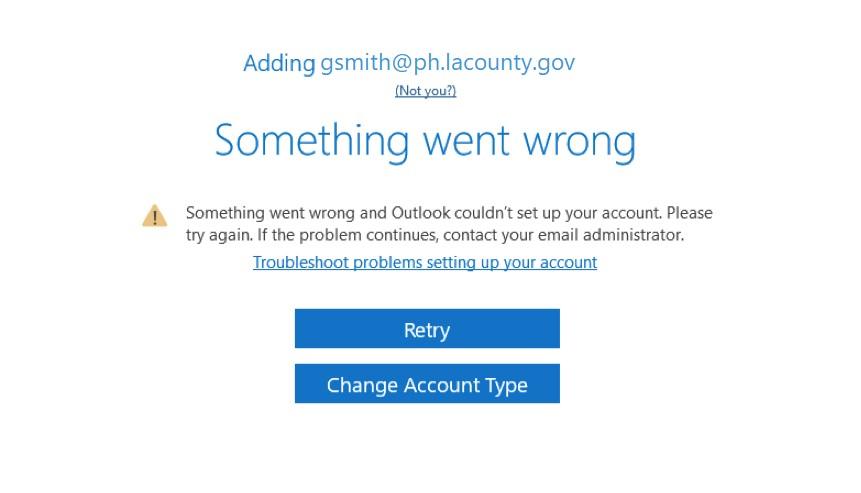
- Click on Search in the lower left corner of the taskbar
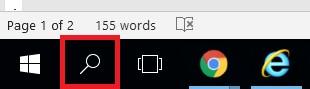
- Search for regedit
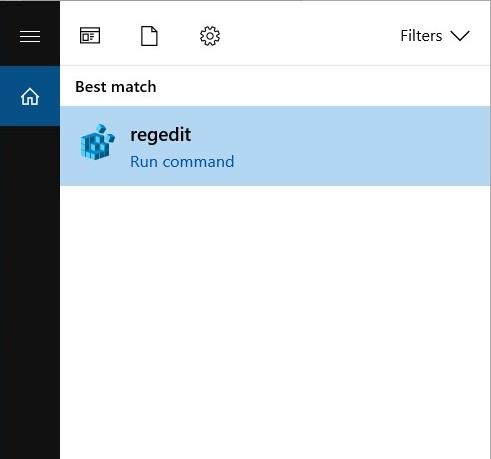
- Navigate to
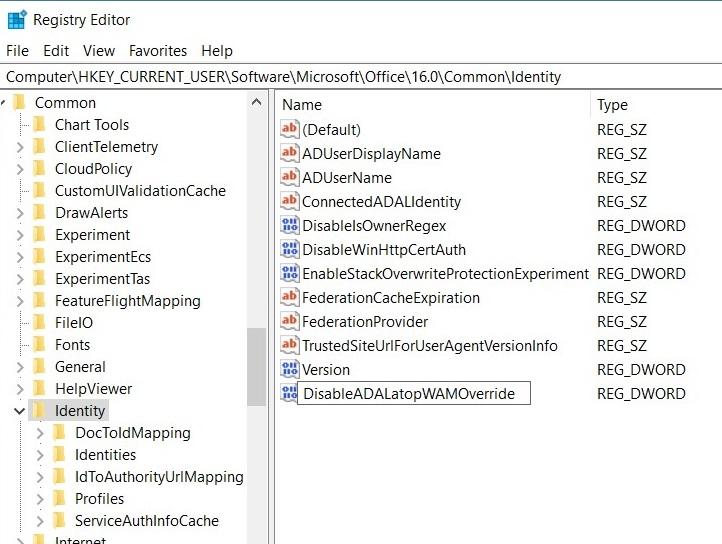
HKEY_CURRENT_USER\Software\Microsoft\Office\16.0\Common\Identity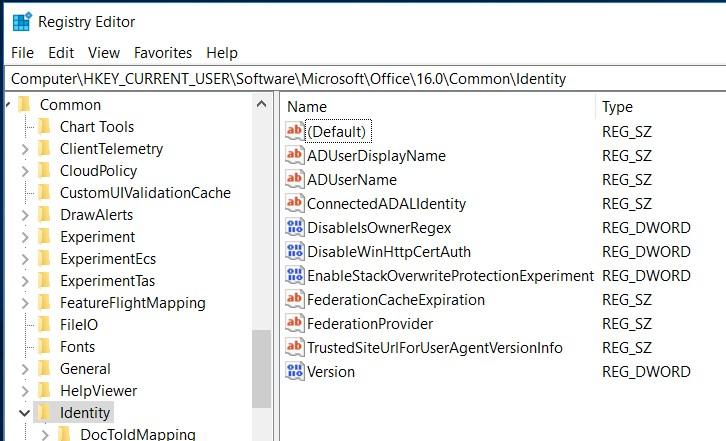
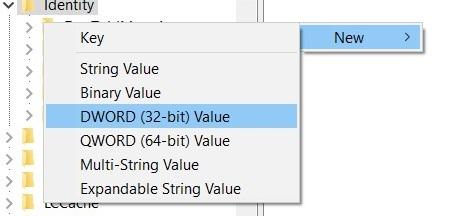
- Right-click on a blank spot in the right side and navigate to New > DWORD (32-bit) Value
- Enter in DisableADALatopWAMOverride and then hit enter
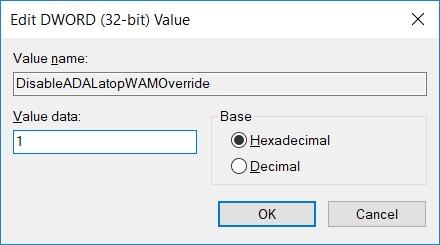
- Please double-click on the new entry and change the value to 1 and hit enter
- All done, please launch Outlook once more